
Independent fan reference · Roblox
Lakefalls Medical: GP Simulator
GAME OVERVIEW & OFFICIAL LINKS
An independent reference for the Roblox medical roleplay experience by Coda Games. Start with the official game basics, then head to Roblox to play.
Official listing checked September 11, 2026 · No in-game testing performed

01 / Start here
Official game basics
Lakefalls Medical: GP Simulator is a medical roleplay experience on Roblox by Coda Games. This overview covers place ID 110233092317096.
02 / Medical roleplay
Inside the practice
The official listing describes patient examinations, minor-illness care, health reviews and emergencies, including decisions about whether patients need hospital care.
03 / The team
Roles listed by the developer
The advertised roles are Nurse, GP, Receptionist, Manager and Patient. The public description does not specify role-unlock requirements, so this overview does not claim that every role is immediately available.
- Nurse
- GP
- Receptionist
- Manager
- Patient
04 / Make it yours
Your own room
Coda Games advertises free room claiming and customisation. This does not establish that every item or feature is free. Room-claiming steps have not been verified.
Read the developer description ↗After claiming a room: take your first patient
In the pictured keyboard tutorial, claim a waiting patient with E, return with that patient to your own room, then use E to begin the consultation.
Start from a claimed room
This section begins after room claiming, not at the start of the tutorial. The cited room image shows a completed objective and the confirmation “Room successfully claimed.”
Follow the objective on your screen
| Tutorial objective | What to do next |
|---|---|
| 2/7 — Take a patient | Approach a waiting patient and use E for Claim Patient. |
| 3/7 — Consult | Bring your patient to your own room and use E for Begin Consultation. |
Check the task before repeating a key
Read PATIENT NOTES as well as the tutorial objective. The cited screenshots show two different instructions:
| PATIENT NOTES instruction | How to read the pictured state |
|---|---|
| Start the consultation | The notes are still asking for the consultation to begin. Follow the Begin Consultation step above. |
| Talk to the patient | Follow the patient conversation. In the pictured keyboard dialogue, press Enter to skip or hold Enter to fast-forward. |
The Enter hint is a dialogue control, not a diagnosis or proof that treatment is complete. A patient name in the notes panel is not a completion message either.
Use your own claimed room. A room number in someone else’s walkthrough is not a required destination.
The images do not establish a fixed interaction distance, mobile button locations or controller bindings. Follow your current interface when its prompts differ.
Evidence: consultation prompt and dialogue prompt. Dialogue evidence reviewed September 12, 2026; no in-game test was performed. See the verification notes for source dates and limitations.
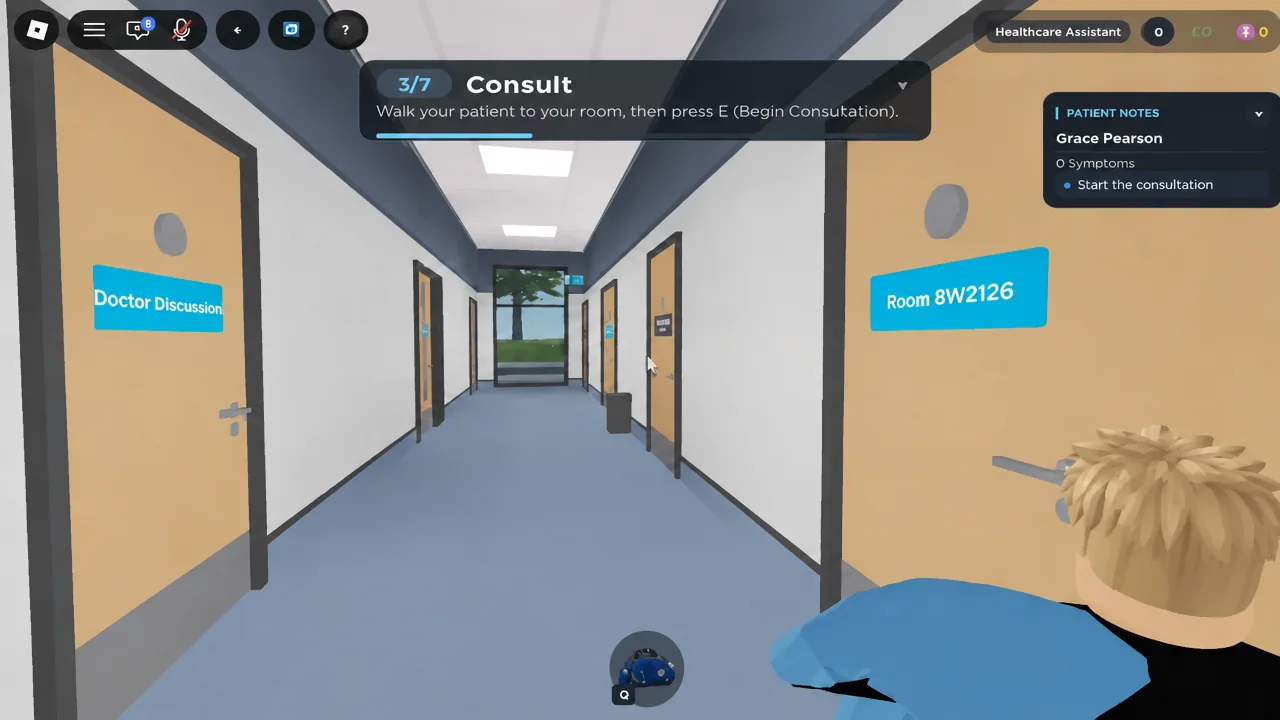
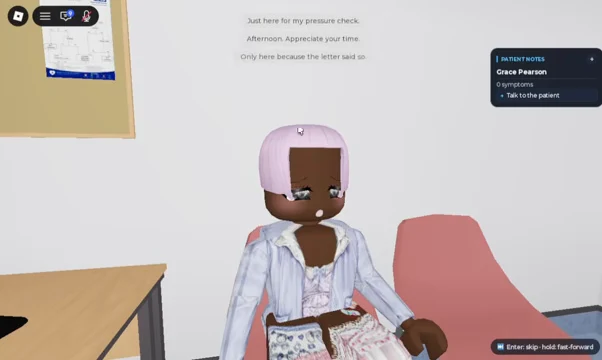
Scope: keyboard tutorial prompts visible in screenshots accompanying a third-party walkthrough marked updated September 10, 2026. Reviewed September 11, 2026. The game build was not supplied, and no in-game test was performed. This is not a role-unlock or complete treatment guide.
Screenshot evidence: room confirmation, patient objective, and consultation objective.
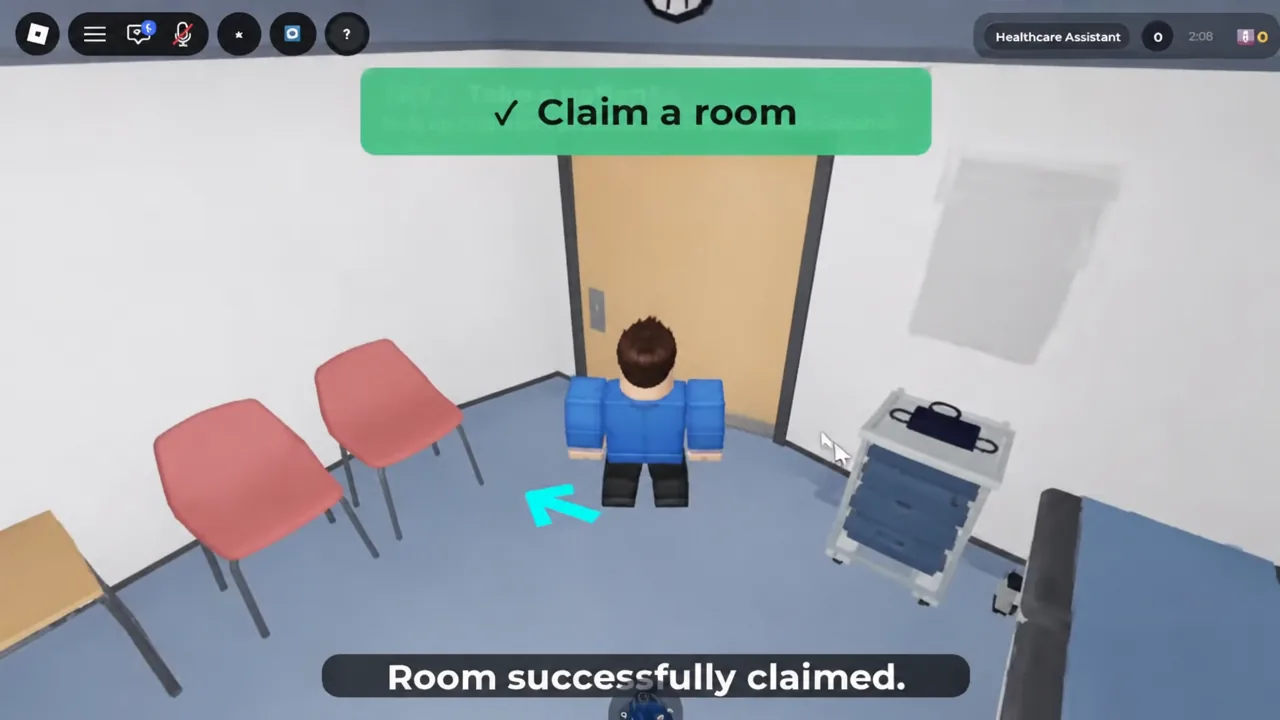
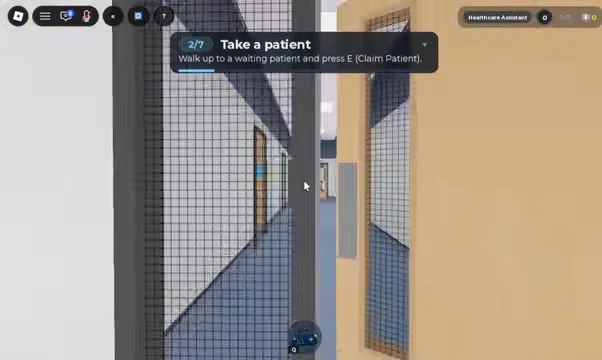
Read the original walkthrough or our sources and verification notes.
Read the source
Know what is official.
Official game information and documented tutorial prompts are labelled separately. Role-unlock requirements, diagnosis choices and controls not shown in the cited material remain unverified.
Sources & verification →Quick answers
Before you play
What is the game about?
The official description lists patient examinations, minor-illness care, health reviews and emergencies, including decisions about whether patients need hospital care.
Which roles are listed?
The advertised roles are Nurse, GP, Receptionist, Manager and Patient. The public description does not specify role-unlock requirements, so this overview does not claim that every role is immediately available.
This overview describes a Roblox game. It is not medical advice.